Chrome Extension

Direct AI Like
a Pro

Stop burning credits on endless iterations. Annotate your vision directly on the image, and let Art Director translate it into the perfect prompt.

The Problem

AI Generation Is Still
Frustratingly Manual

You know exactly what you want. But communicating it to AI models through text alone? That's where everything breaks down.

Endless Iterations

AI image and video generation requires dozens of attempts to get the result right. Each try is a guessing game.

Lost in Translation

Your creative vision gets diluted through text-only prompts. "Make the sky more dramatic" means something different to everyone.

Time & Money Drain

Each failed generation costs credits and hours. Professional workflows need precision on the first try, not the fiftieth.

The Solution

Show AI Exactly
What You Mean

Art Director gives you visual precision tools that AI models actually understand. Point, draw, direct.
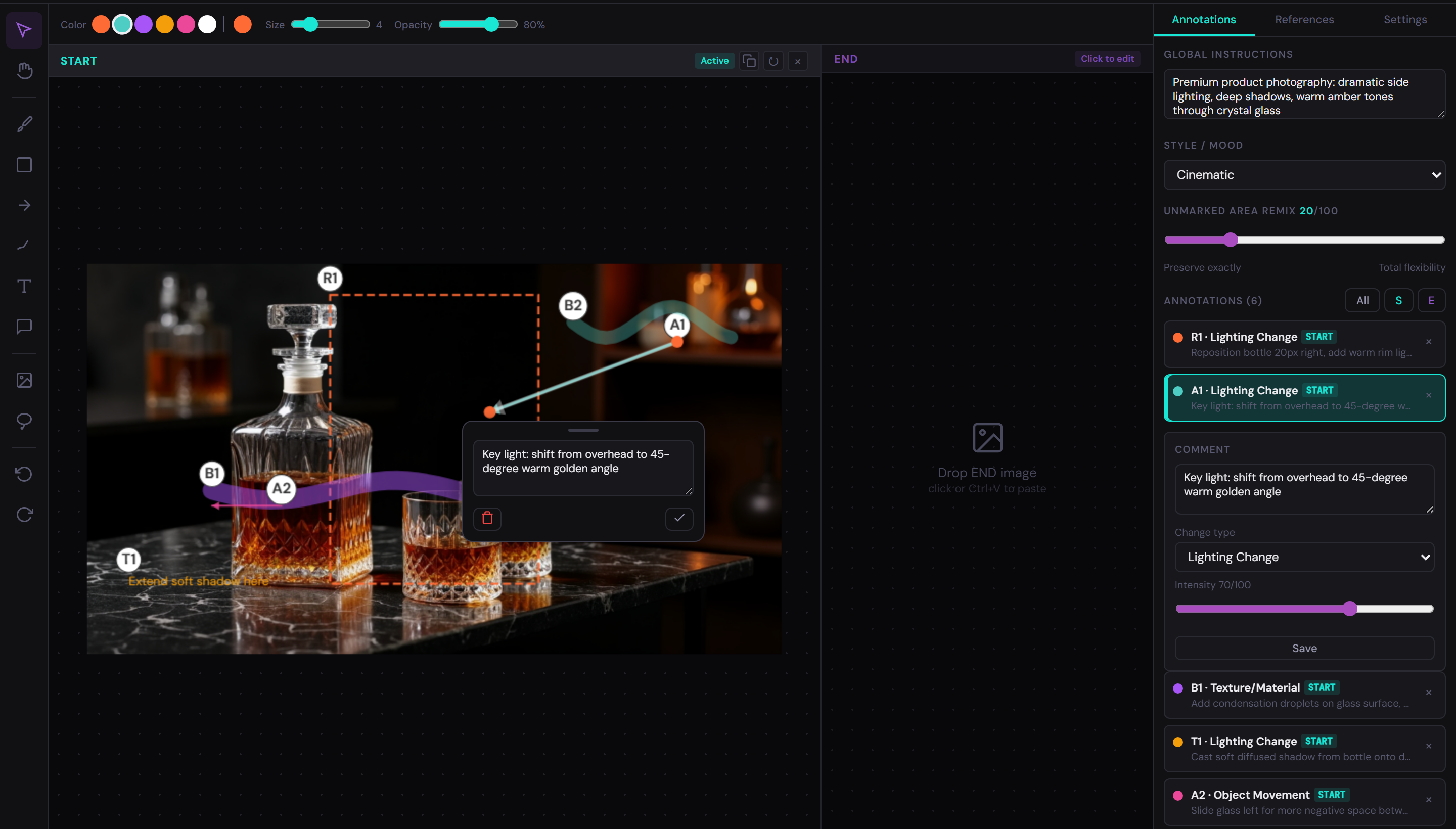
Art Director markup editor
Precision

Markup Precision

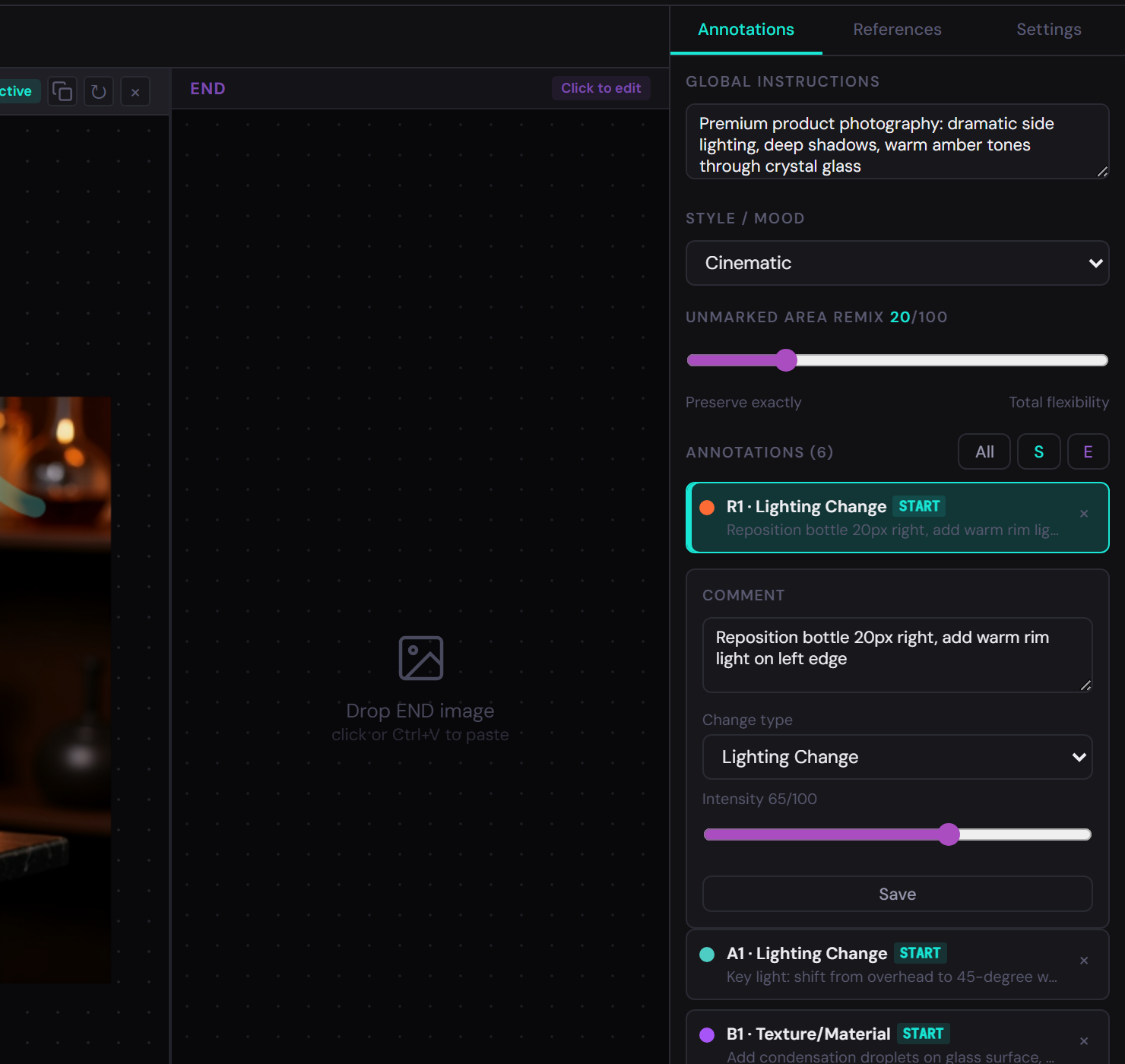
Draw exactly what you want changed, where. Brushes, rectangles, arrows, and text — all optimized for AI interpretation.
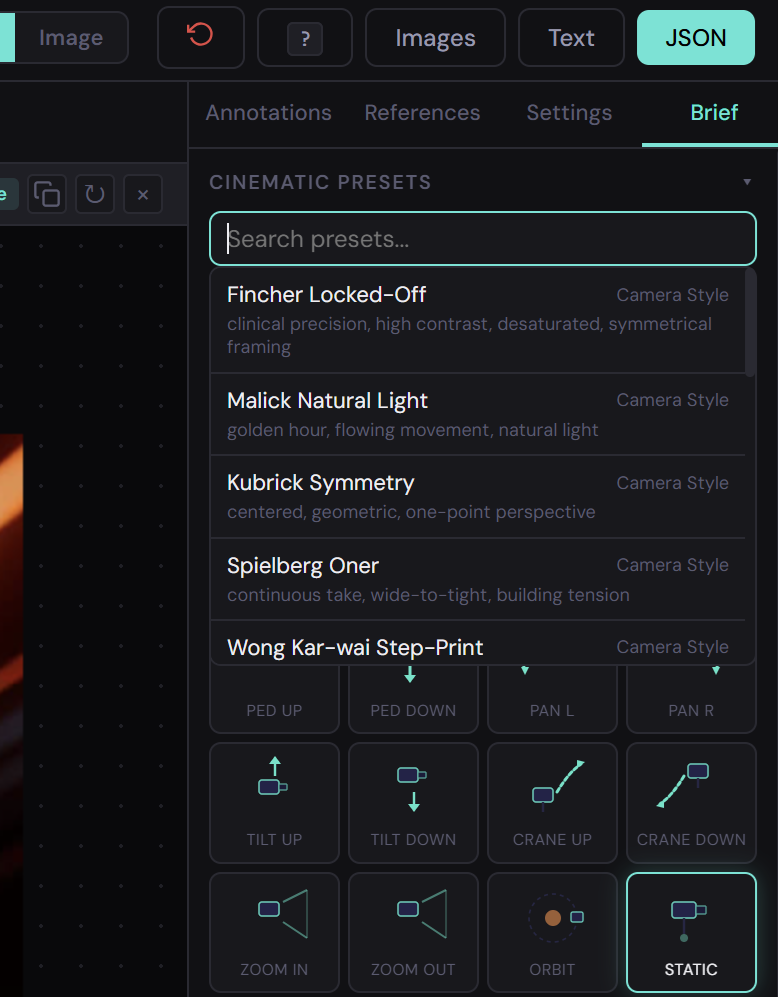
Cinematic presets
Cinematic

Cinematic Presets

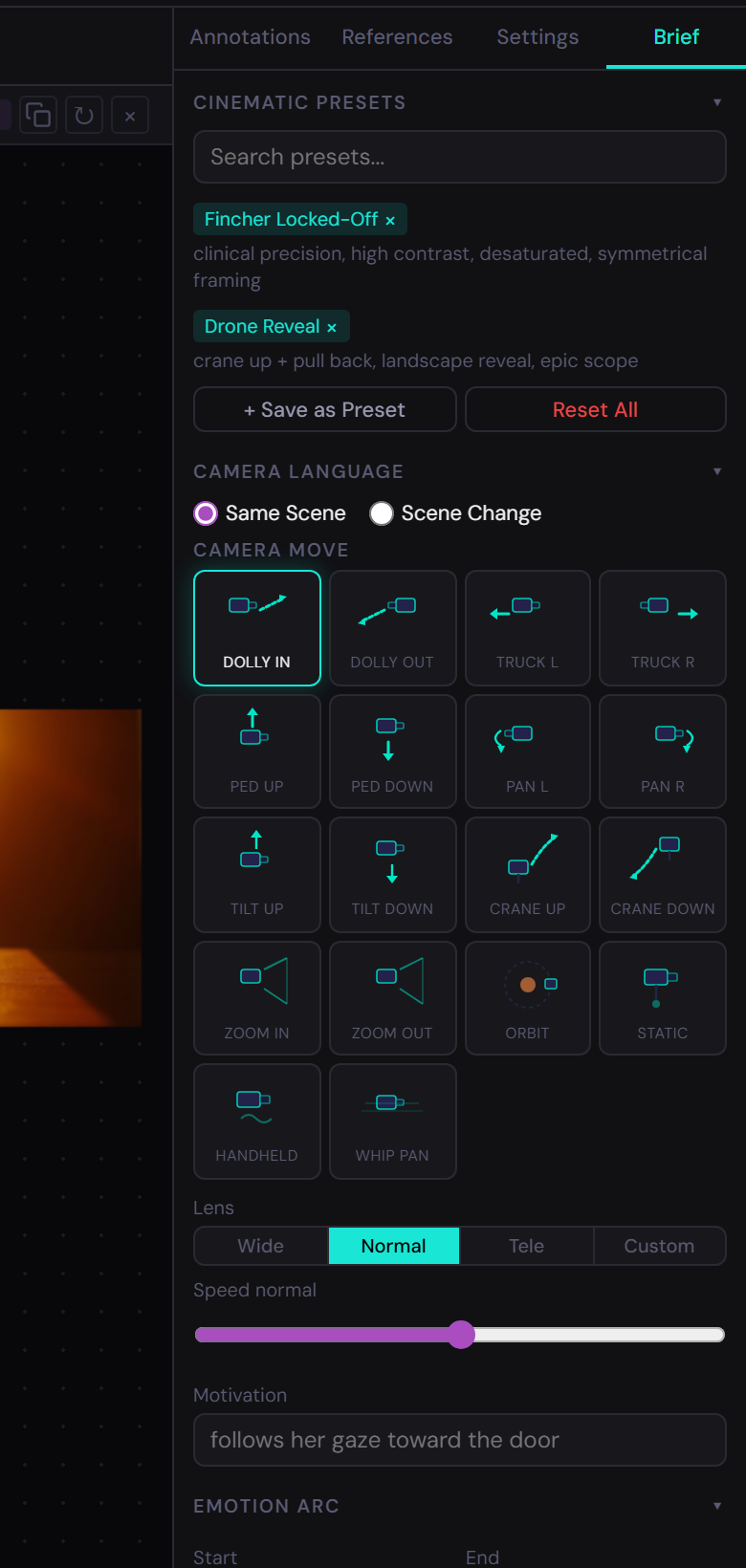
One-click Fincher, Kubrick, Spielberg looks. Apply iconic visual styles without being a film school graduate.
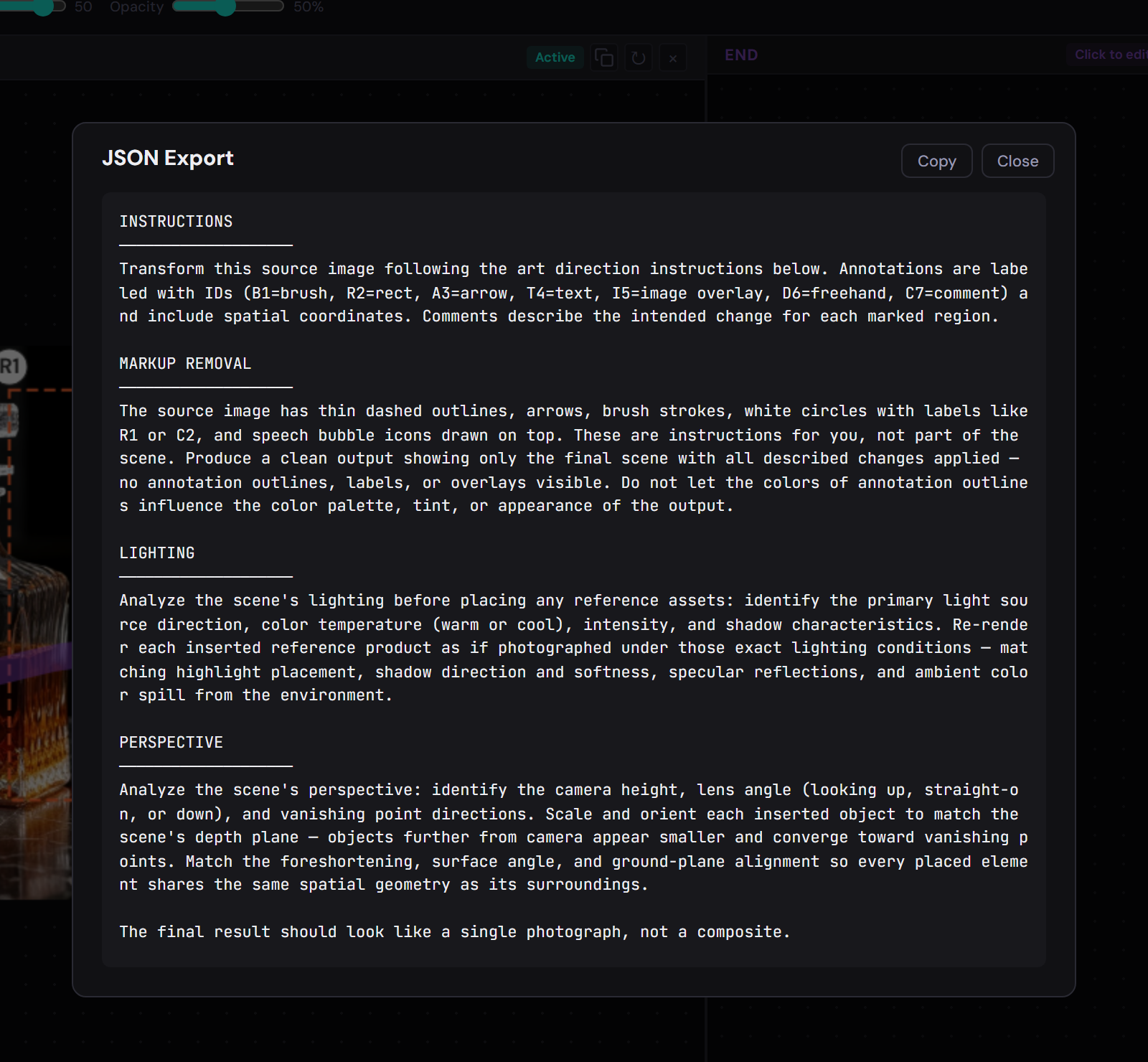
Smart export
Export

Prompt Enhancement

AI-optimized export that speaks the model's language. Your annotations become structured prompts tuned for each platform.
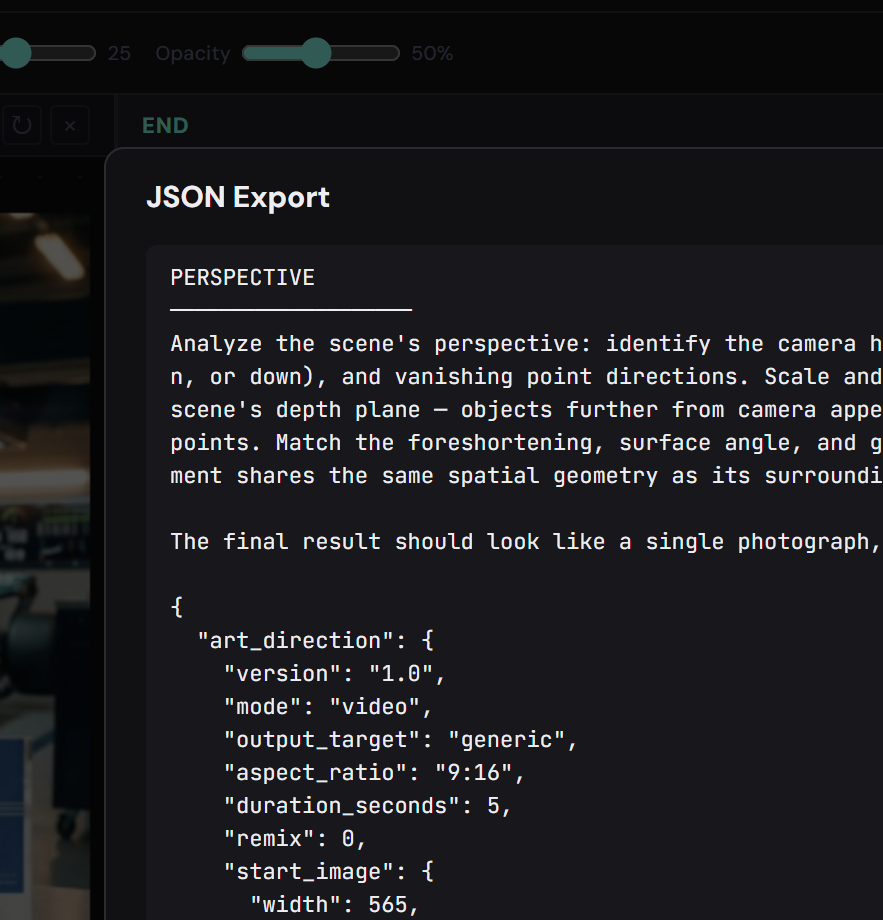
Copy and paste prompts
Workflow

Copy & Paste Prompts

Structured output ready for any AI model. Copy the brief and paste it directly into your generation tool of choice.
Easy for anyone
Accessible

Turn Anyone Into a Master

No photo editing or video directing experience needed. If you can point and click, you can direct AI like a professional.
Deep Dive

Built for Every Detail

Annotation Tools

A full suite of visual markup tools designed specifically for communicating with AI models. Every stroke translates to structured intent.

  • Freehand brush with adjustable size and color
  • Rectangle and arrow overlays for region targeting
  • Text annotations with positioning context
  • Color-coded markup layers for complex edits
Annotation tools

Director's Brief

Speak the language of cinema. Define camera angles, movement, emotion arcs, and apply cinematic presets from legendary directors.

  • Camera language: angle, shot size, movement
  • Emotion arcs for video generation
  • 17 cinematic presets from iconic filmmakers
  • Lighting, color grading, and atmosphere controls
Director's brief panel

Smart Export

Export your annotated vision in the format each AI model understands best. One markup, multiple optimized outputs.

  • JSON, plain text, and annotated image export
  • Model-specific presets for Veo, Kling, Runway, DALL-E
  • Clipboard-ready output for instant pasting
  • Annotation overlay compositing for inpainting
Smart export panel

Reference Assets

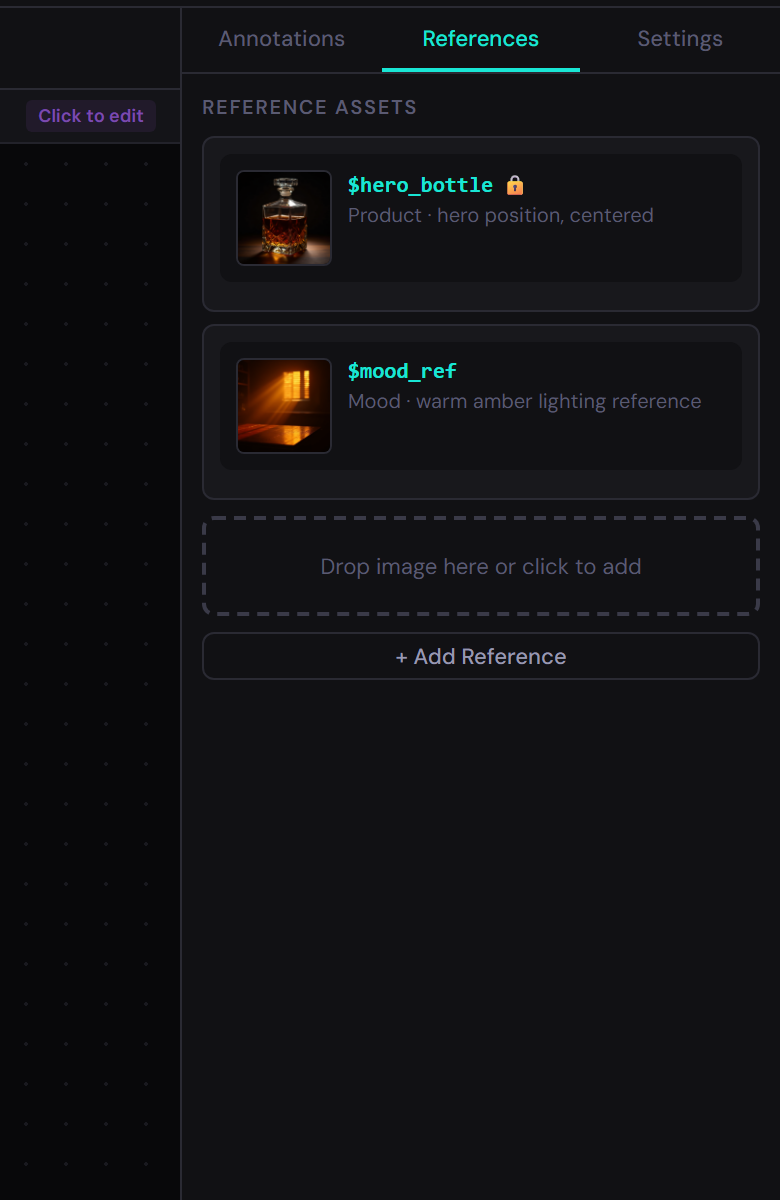
Drag and drop reference images, assign variable names, and maintain visual continuity across your generation sessions.

  • Drag-and-drop reference image management
  • Named variables for character and style continuity
  • Side-by-side reference comparison
  • Asset library that persists across sessions
Reference assets

Works with your favorite AI models

Google Veo Kling Luma Dream Machine Runway DALL-E Midjourney Flux
17
Cinematic Presets
15
Emotion Types
8
AI Model Presets
Unlimited Annotations

Start Directing
Your AI

Stop describing. Start directing. Install Art Director and turn your creative vision into AI-ready briefs in seconds.

Free to use. No account required.